Protect Your Eyes While Working on Computer
Eye Protector is a desktop application that helps you maintain healthy eye habits while working on computers. Take regular breaks, perform eye exercises, and maintain proper posture.
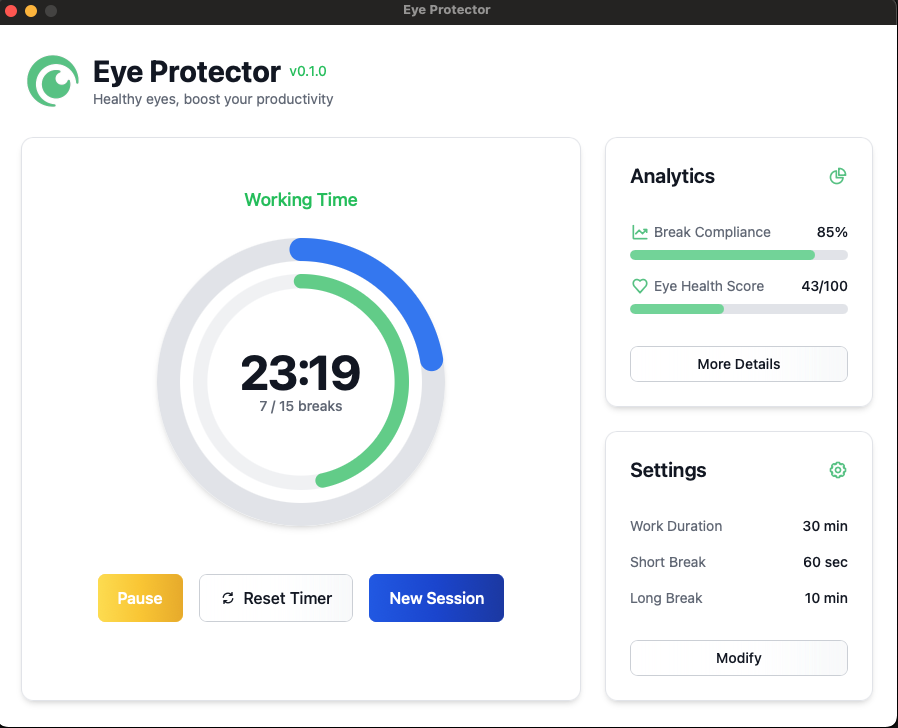
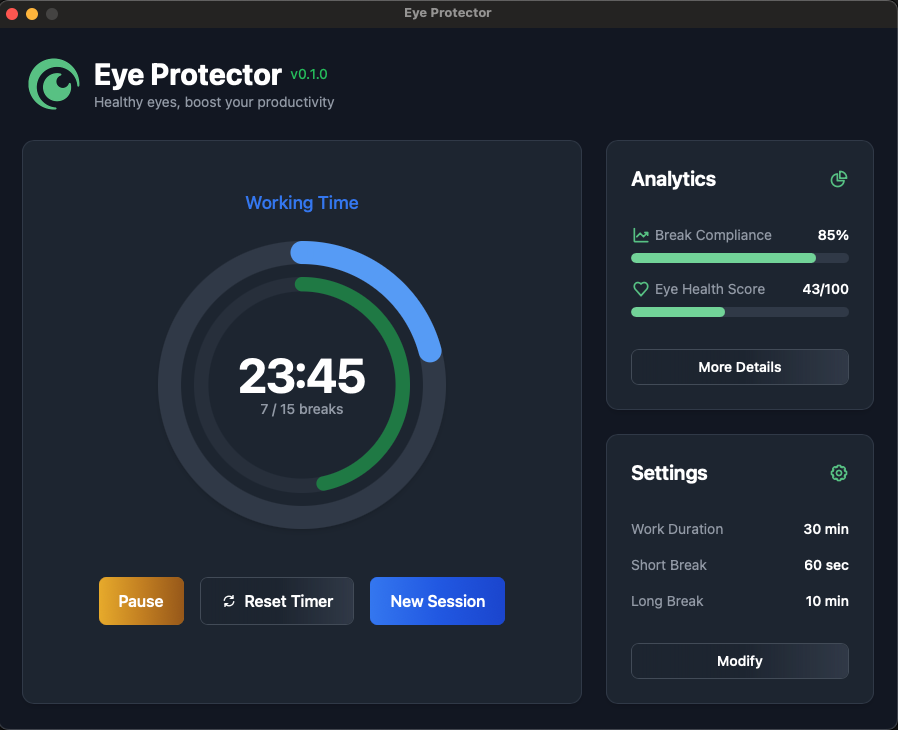
Designed for your eye health
Eye Protector helps you maintain healthy eye habits with smart reminders, guided exercises, and personalized settings.
Smart Timer System
Customizable working time periods with short pauses for quick eye exercises and longer rest breaks for substantial rest.
Eye Exercise Guides
Full-screen interface during breaks with guided eye exercises to reduce eye strain and improve focus.
System Tray Integration
Always accessible with mini-controls, allowing you to manage your eye protection without interrupting your workflow.
Customizable Settings
Configure timer durations, break frequencies, and visual preferences to match your personal work style and eye health needs.
Analytics Dashboard
Track your eye health and usage patterns with detailed statistics and insights to improve your habits over time.
Cross-Platform Support
Available for Windows, macOS, and Linux, ensuring you can protect your eyes regardless of your operating system.
Designed for your eye health needs
Choose the plan that works best for you and your team.
Free
Best option for personal use & for your eye health journey. Zero cost.
- Basic timer functionality
- Standard eye exercises
- System tray integration
- Basic customization
Premium
Relevant for power users and professionals.
- All Free features
- Advanced eye exercises
- Detailed analytics dashboard
- Full customization options
- Priority support
Frequently asked questions
What is Eye Protector?
Eye Protector is a desktop application designed to help you maintain healthy eye habits while working on computers. It provides regular reminders for breaks, guides you through eye exercises, and helps you maintain proper posture.
How does the timer system work?
The timer system allows you to customize working time periods, short pauses (15-20 seconds) for quick eye exercises, and longer rest breaks (8-10 minutes) for more substantial rest. You can configure the number of pauses between rest breaks. If you stop working for more than 10 seconds, the timer will temporarily pause and then resume when you return.
Is Eye Protector available for my operating system?
Yes, Eye Protector is a cross-platform application available for Windows, macOS, and Linux. You can download the appropriate version for your operating system from our website.
Can I customize the break intervals?
Absolutely! Eye Protector allows you to fully customize the duration of your work periods, short pauses, and longer breaks to match your personal work style and eye health needs.
What are the benefits of using Eye Protector?
Using Eye Protector can help reduce eye strain, prevent computer vision syndrome, improve focus and productivity, and promote better overall eye health. Regular breaks and eye exercises can also help reduce headaches and neck/shoulder pain associated with prolonged computer use.
Do I need to create an account to use Eye Protector?
No, you don't need to create an account to use the Eye Protector.
How does the analytics dashboard work?
The analytics dashboard tracks your eye health and usage patterns, providing detailed statistics and insights to help you improve your habits over time. You can see metrics like break compliance, screen time, and eye exercise completion rates.
How many devices can I use with one license?
Each license is valid for one device at a time. If you activate your license key on a new device, Eye Protector will be automatically deactivated on your previous device.